
Kato Cab4.3.1 - Google Play
You'll be able to see results in few seconds.
Publisher Description
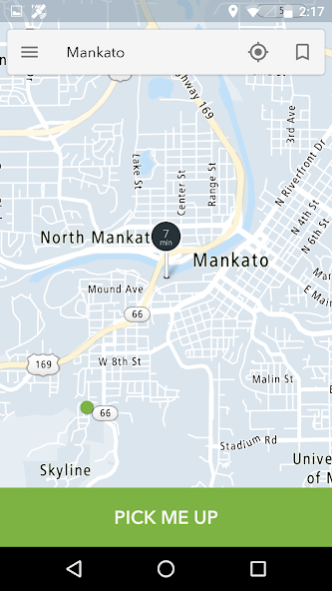
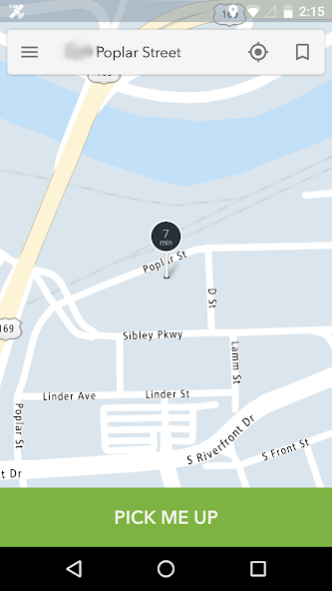
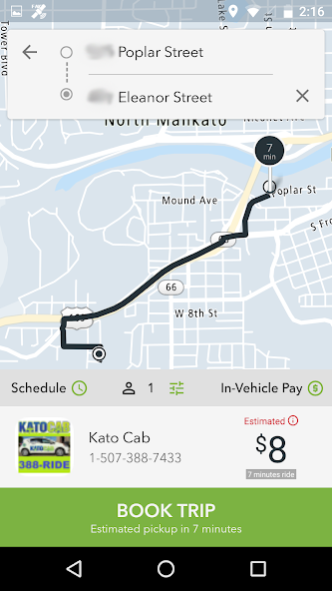
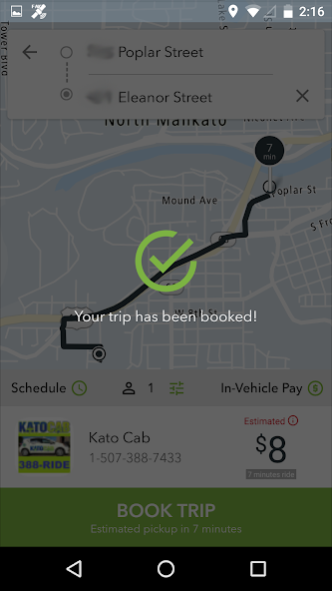
Order a taxi cab in Mankato and surrounding areas from Kato Cab using your Android Phone – 24 hours a day, 365 days a year!! Fast, convenient, and easy to use.
Use a map to select your pick-up location, and track the location of your taxi. Receive notification alerts about the status of your booking, and when your taxi arrives.
TAXI BOOKING FEATURES:
• Request a taxi cab right now, or select a future date and time for pick-up.
• Don’t know your location? – Send the taxi to your current GPS position.
• You can also tap a location on a map, or type in a pick-up address.
• Select a pickup or drop-off address.
• Save a pick-up address as a favorite, and use it for future bookings.
• Select booking options for your cab (wheelchair accessible, pet-friendly, etc.)
• Get a fare estimate based on map distance between pickup and destination.
• Send additional info to the driver by typing a message.
• A confirmation message lets you know your booking request was accepted.
• Push notifications alert you when your cab is on the way, and when it has arrived.
TRACKING FEATURES:
• Display the current location of your taxi on a map.
• Cancel a booking.
• Display up to three previous bookings made with your mobile device.
COMMUNICATION FEATURES:
• Type in a message and send it to the driver who is on the way to your location.
• Receive a message sent by the driver who is on the way to your location.
SERVICE AREA:
Mankato, North Mankato, New Ulm, St. Peter, Eagle Lake, Madison Lake, Rapidan, Lake Crystal, Southern Minnesota, Kasota.
About Kato Cab
The company that develops Kato Cab is DDS Wireless International Inc.. The latest version released by its developer is 4.3.1.
To install Kato Cab on your Android device, just click the green Continue To App button above to start the installation process. The app is listed on our website since 2021-02-10 and was downloaded 0 times. We have already checked if the download link is safe, however for your own protection we recommend that you scan the downloaded app with your antivirus. Your antivirus may detect the Kato Cab as malware as malware if the download link to digital.dispatch.mobilebooker.KatoCab is broken.
How to install Kato Cab on your Android device:
- Click on the Continue To App button on our website. This will redirect you to Google Play.
- Once the Kato Cab is shown in the Google Play listing of your Android device, you can start its download and installation. Tap on the Install button located below the search bar and to the right of the app icon.
- A pop-up window with the permissions required by Kato Cab will be shown. Click on Accept to continue the process.
- Kato Cab will be downloaded onto your device, displaying a progress. Once the download completes, the installation will start and you'll get a notification after the installation is finished.
Program Details
System requirements
Download information
Pricing
Version History
version 4.3.1
posted on 2021-02-10
We update our app as often as possible to make it faster and more reliable for you. Here are a couple of the enhancements you'll find in the latest update:
- Fixed payment method. Fixed message-with-driver.
- Third-party libraries update
- TomTom maps API upgrade. Fixed map zoom level on active trip screen, removed extra pin markers.
- Add new travel needs requirements, attributes and translations.
- Stability improvements.
- Android SDK v29 to meet new Play Store requirement.
version 4.2.4
posted on 2020-07-30
Introducing a new way to book a taxi
A new way to book your rides. With our modern app design you can just tap to request a taxi, and it’s easy to pay with credit card or cash.
Introducing credit card payments
You can now pay for your taxi trips using a credit card.
Introducing rate your driver
Let the taxi company know how much you enjoyed your taxi ride. You can rate your driver to give feedback and help us improve the service quality.
version 2.0.0.31
posted on 2019-06-10
- Fix for Google GCM service deprecation, FCM service is used in replacement of GCM;
- Android APK v26 support;
- Support of Android v8 and v9;
version 2.0.0.24
posted on 2017-10-02
Bug fix:
Repeated street number in addresses. Note: Because we'd rewritten how we handle addresses, your previously saved "Favorite addresses" might not work.
Improvement:
Refine place search.
Added to display city in addresses if available.
Auto-zoom and pan in Tracking Map.
version 2.0.0.22
posted on 2016-10-03
Disclaimer
Official Google Play Link
We do not host Kato Cab on our servers. We did not scan it for viruses, adware, spyware or other type of malware. This app is hosted by Google and passed their terms and conditions to be listed there. We recommend caution when installing it.
The Google Play link for Kato Cab is provided to you by apps112.com without any warranties, representations or guarantees of any kind, so access it at your own risk.
If you have questions regarding this particular app contact the publisher directly. For questions about the functionalities of apps112.com contact us.
